
Best Dive Computer in Singapore: Picks Under S$500 to Pro
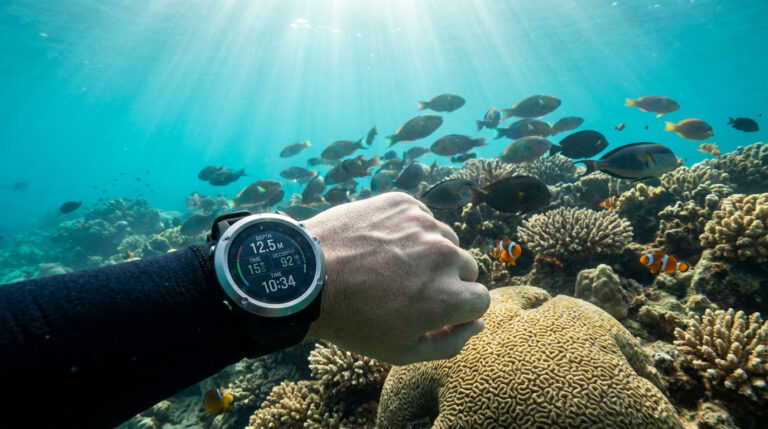
For most divers in Singapore, the best value dive computer under S$500 is the Suunto Zoop Novo at S$380 for its no-nonsense reliability, while divers who want a colour screen and air integration step up to the Atmos Mission 3 at S$595, and technical or watch-style users go pro with the Garmin Descent MK3i at S$2,140. Below we break down the picks by budget, explain what actually matters, and match each tier to the diving you will do around Singapore.
What a dive computer actually does
A dive computer is the single instrument that keeps you within safe limits underwater. It tracks your depth and time continuously, then runs a decompression algorithm to calculate your remaining no-decompression limit (NDL), your ascent rate, and your safety stop. Renting one for every dive gets expensive and inconsistent, which is why owning your own is the first serious gear purchase most divers make after a mask and fins.
Every modern unit, from the cheapest to the most expensive, shares a core feature set:
- Continuous depth, maximum depth, and bottom time readouts.
- No-decompression limit tracking so you know how long you can safely stay.
- Ascent rate warnings and an automatic safety stop timer.
- A nitrox (enriched air) mode so you can set your oxygen mix.
- A logbook that stores your dive profiles for later review.
The differences between a S$300 unit and a S$2,000 unit are display quality, air integration, gas flexibility, and extra sensors like a compass or heart rate monitor. None of those change the basic job: keeping you out of decompression trouble.
Best dive computers under S$500
This is where new divers and holiday divers should start. These units run proven algorithms, are easy to read, and do everything a recreational diver needs on air or nitrox.
- Seac Sub Action (S$295): the most affordable entry point, a simple wrist unit with air and nitrox modes. Ideal if you dive a few times a year and want your own kit without overspending.
- Suunto Zoop Novo (S$380): the classic first computer. Large segmented display, big buttons you can work in gloves, and a conservative algorithm that most instructors trust. A firm favourite for anyone finishing their Open Water course.
- Suunto D4f Black (S$395): a slimmer, watch-style option you can wear day to day, with a dedicated freediving mode alongside its scuba functions.
- Scubapro Aladin A1 (S$470): a compact, lightweight unit with a clean display and Scubapro’s well-regarded algorithm, a strong pick if you want a low-profile computer that travels light.
- Suunto Vyper Novo (S$480): steps up with gas switching and a three-gas nitrox capability, so it grows with you as your certifications advance.
If your budget is tight, a Zoop Novo or Seac Action will serve you for years. There is no safety penalty for buying at this tier; the algorithms are the same proven models used in far pricier watches.
Mid-range picks: S$500 to S$900
Spend a little more and you gain colour or higher-contrast screens, rechargeable batteries, and in some cases wireless air integration that shows your tank pressure on your wrist. This tier suits divers who have moved past their first 20 dives and want a nicer everyday tool.
- Atmos Mission 3 (S$595): a bright colour touchscreen at a genuinely accessible price, with app connectivity for reviewing dives on your phone. Excellent value for divers who want a modern interface without the top-tier cost.
- Scubapro Aladin A2 (S$660): adds wireless air integration to the Aladin family, letting you monitor gas pressure directly on the display.
- Suunto D5 (S$755): a stylish, full-colour watch computer with rechargeable battery, optional air integration, and a tilt-compensated digital compass built in. Popular with divers who want one device for the water and for daily wear.
- Suunto EON Core (S$860): a larger wrist-mounted colour computer aimed at divers pushing into deeper and more technical territory, with multigas support and air integration ready.
Pro and premium dive computers
At the top end you are paying for large full-colour displays, multi-gas and trimix support, integrated compasses, dive planning, and in the Garmin range, full smartwatch and GPS features. These are for technical divers, instructors, and anyone who wants a do-everything device.
- Scubapro G2 (S$1,330): a proven full-colour technical computer with multigas and trimix capability, a favourite among serious recreational and tech divers.
- Suunto Ocean (S$1,150): Suunto’s flagship dive-and-lifestyle watch, blending a bright display with fitness tracking and air integration support.
- Garmin Descent G2 (S$1,050): a dive watch with full activity tracking, an accessible way into the Garmin ecosystem.
- Garmin Descent MK3i (S$2,140): the pinnacle, pairing multigas dive computing and tank pressure transmission with GPS, maps, and a bright AMOLED screen. A genuine everyday smartwatch that happens to be a full technical dive computer.
Dive computer comparison at a glance
| Model | Price | Best for | Display | Air integration |
|---|---|---|---|---|
| Seac Sub Action | S$295 | Occasional divers on a budget | Segmented | No |
| Suunto Zoop Novo | S$380 | New divers, first computer | Segmented | No |
| Scubapro Aladin A1 | S$470 | Light, low-profile travel | Segmented | No |
| Atmos Mission 3 | S$595 | Modern colour screen on a budget | Colour touchscreen | No |
| Suunto D5 | S$755 | Daily-wear watch plus diving | Full colour | Optional |
| Suunto Ocean | S$1,150 | Flagship all-rounder | Full colour | Optional |
| Garmin Descent MK3i | S$2,140 | Tech divers wanting a full smartwatch | AMOLED colour | Yes (transmitter) |
How to choose the right one for you
Match the computer to your diving, not to the spec sheet. Work through these questions:
- How often will you dive? A few trips a year rarely justifies spending past S$500. A Zoop Novo or Aladin A1 is plenty.
- Do you want to wear it daily? If yes, a watch-style unit like the D5 or a Garmin Descent earns its keep out of the water too.
- Will you go technical? Deep, decompression, or trimix diving needs multigas support, which points you at the EON Core, Scubapro G2, or Garmin MK3i.
- Do you want tank pressure on your wrist? Air integration is convenient but adds cost for the transmitter. It is a nice-to-have, not a must-have.
- Can you read it easily? Screen clarity underwater matters more than any feature list. Bigger, brighter displays cost more for a real reason.
Whatever you buy, take time to learn its menus on land before you dive it. The best computer is the one you understand. If you are still building experience, our team can walk you through setup when you pick up your kit, and you can browse more buying help in our diving guides.
Where you will use it around Singapore
Your first outings with a new computer are likely to be at the local training sites off the southern islands, Pulau Hantu and Lazarus Island, where our small classes of four to five students run their skills. These are shallow, sheltered dives that are perfect for getting comfortable reading your NDL and ascent rate in real conditions. As you progress, the same computer travels with you to the reefs of the wider region. See our overview of where to dive from Singapore to plan your next trips, and if you are still certifying, our PADI courses in Singapore run at a flat S$838 from our shop at 178 Paya Lebar Road.
Frequently asked questions
Do I really need my own dive computer as a beginner?
You can rent for your first few dives, but owning your own means you dive the same trusted algorithm every time, you keep a continuous logbook, and you never gamble on rental availability. A budget unit under S$500 pays for itself quickly compared with repeated rental fees.
What is the cheapest reliable dive computer you stock?
The Seac Sub Action at S$295 is our most affordable unit, and the Suunto Zoop Novo at S$380 is the classic first computer that most instructors recommend. Both run proven algorithms and handle air and nitrox, so there is no safety compromise in buying at this price.
What does air integration mean and is it worth paying for?
Air integration uses a wireless transmitter on your tank to show your remaining gas pressure on your computer’s screen, so you do not have to check a separate gauge. It is convenient and adds a clean data stream to your dive log, but it is optional. Many experienced divers happily use a traditional pressure gauge instead.
Can one dive computer handle both recreational and technical diving?
Yes, if you buy a multigas model. Units like the Suunto EON Core, Scubapro G2, and Garmin Descent MK3i support gas switching and, in some cases, trimix, so they cover recreational dives now and technical dives later. If you only plan to dive within recreational limits, a simpler single-gas computer is all you need.
Where can I see these dive computers in person?
Visit our shop at 178 Paya Lebar Road #03-03, Singapore 409030. We can show you the displays side by side, explain the menus, and help you match a computer to the kind of diving you plan to do.